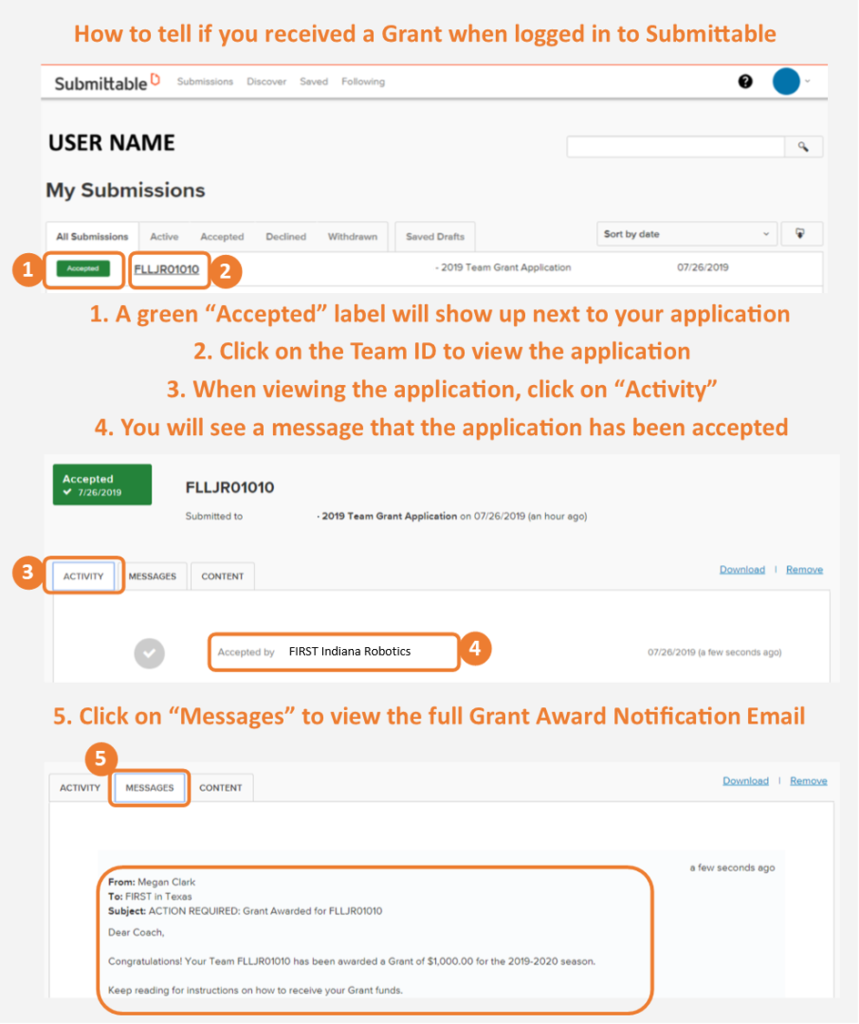
You can also see the status in your Submittable account. When logged in, click on “Submissions.” When viewing the “All Submissions” list, you will see a green “Accepted” label next to the row for your “2019 Team Grant Application” for the team that received a grant. Click on the row to view the team’s Application. On the “Activity” tab, you will see a notification that the application was “Accepted by FIRST Indiana Robotics;” on the “Messages” tab, you will see the full text of the Grant Award Notification Email.